How Google Workspace protect your Business from Data loss
Imagine accidentally emailing a customer list to the wrong person. Or a team member sharing an important budget file publicly by mistake. Scary, right? Losing control of your business data can cause big headaches.
That’s where Google Workspace (the new name for G-Suite) comes to the rescue with its “Data Loss Prevention” (DLP)! Think of DLP as your friendly, automated data guard.
What does this guard do? It watches over your emails (Gmail), files (Drive), and chats to stop sensitive information from slipping out accidentally or on purpose.
Here’s how it works in simple terms:
- It Knows What’s Sensitive: You tell it what’s important to protect – things like:
- Customer credit card numbers or IDs.
- Employee personal details.
- Confidential company secrets or project plans.
- Or anything else you decide is private.
- It Spots the Info: The DLP guard automatically scans everything going in and out, and even files already stored. It looks inside documents and emails for the sensitive stuff you told it about.
- It Takes Action (Your Rules!): If it finds something sensitive where it shouldn’t be, it acts based on rules you set. For example, it can:
- Block: Stop an email with credit card details from being sent outside your company.
- Warn: Pop up a message saying, “Hey, this looks confidential! Are you sure you want to share it?”
- Hide: Automatically cover up sensitive bits (like part of an ID number) in an email before it sends.
- Alert: Tell you or your IT manager so you know something risky almost happened.
Why is this awesome for your business?
- Stop Costly Mistakes: Prevents those “oops” moments that can lead to fines or lost trust.
- Protect Your Reputation: Shows customers and partners you take their data seriously.
- Peace of Mind: Lets your team work in Google Workspace (Drive, Gmail, Docs etc.) without constant worry about leaks.
- Follow the Rules: Helps you meet important privacy laws (like GDPR).
While Google Workspace’s DLP offers incredible protection for your business data, it’s important to note that this feature is only available in the Enterprise plans. This includes Google Workspace Enterprise Standard and Enterprise Plus, which come with more advanced security tools and control features like DLP.
Setting Up Your Data Guard
Google Workspace’s DLP is powerful, but setting it up just right for your business makes all the difference. You need to define what’s sensitive and create the best rules.
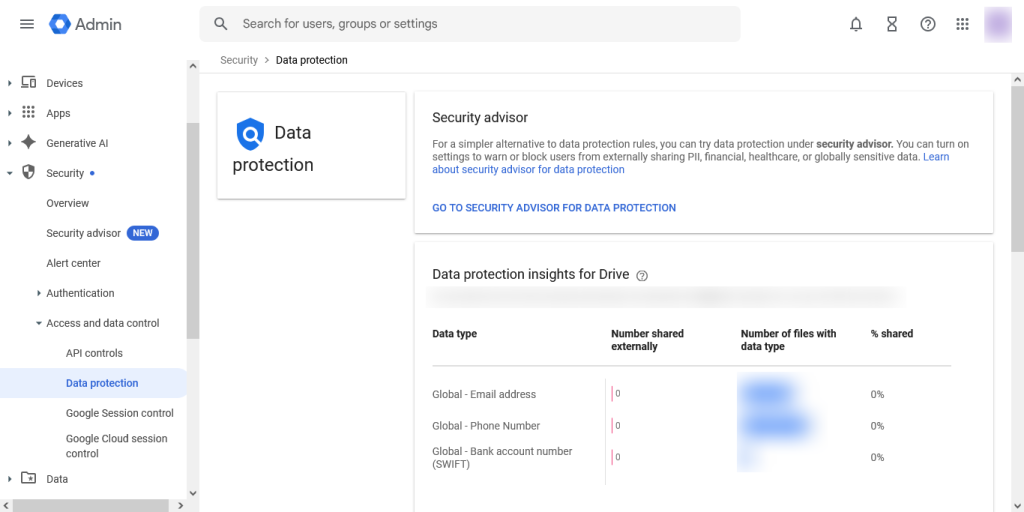
Need help getting started? We’ve got you covered!
Unitech BD Software offer G Suite (Google Workspace Reseller) service in Dhaka Bangladesh.
The experts at Unitech BD Software know Google Workspace inside and out. We can help you set up this simple but powerful Data Loss Prevention shield quickly and easily, so your business information stays safe.
Ready to protect your data without the complexity?
👉 Contact Unitech BD Software today to learn about our Google Workspace services!
Phone: +88 02 48956492
Cell: +88 01782 656 388
Email: info[at]unitechbdsoft.com
Office Address: Plot #87, BNS Center (4th floor), Suite No. #507/A, Dhaka – Mymensingh Highway, Sector #07, Uttara Model Town, Dhaka-1230, Bangladesh.
For more info visit: https://unitechbdsoft.com/google-email-services-dhaka-bangladesh.php